
TOI Breaking News App & ePaper
TIL (Times Internet Limited)News & Magazines
4.217.11K Reviews
- Version
- 8.9.4.0
- Installs
- 10.00M
- Age Rating
- Everyone
Screenshots
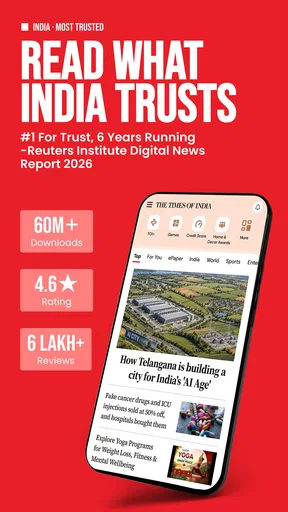
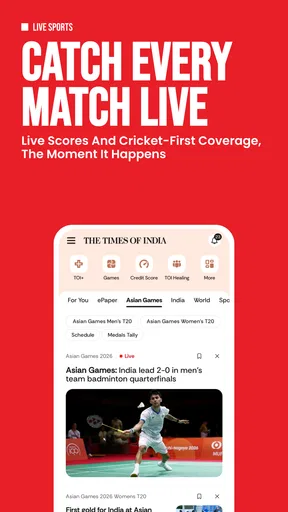
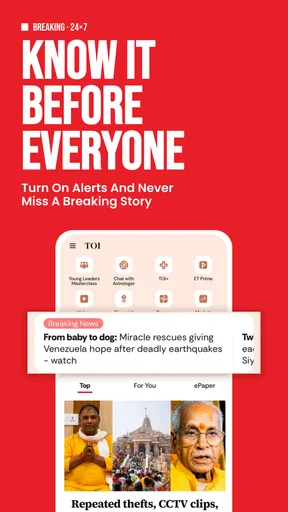
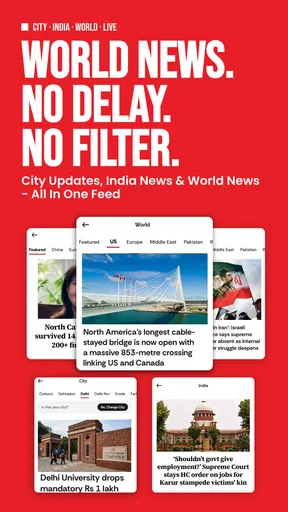
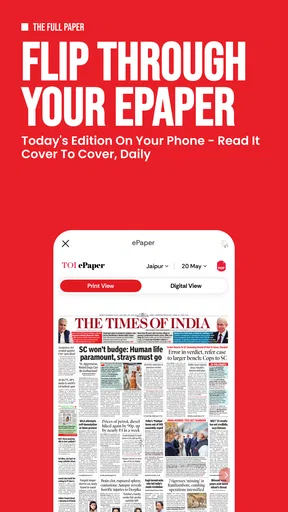

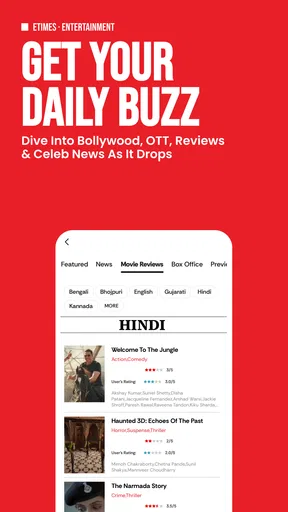
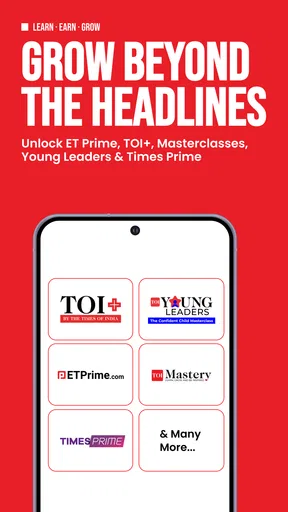
Our Review of TOI Breaking News App & ePaper
 Analysis by Appyee
I approached TOI Breaking News as a daily news reader rather than an app I would open only when a major story appears. It brings together English-language news, live updates, cricket, Bollywood coverage, and a daily ePaper in one place, which makes it especially useful when I want a broad view without moving between several separate apps. The experience is familiar and content-heavy, but that also means the first few minutes can feel busier than expected.
This is a free News & Magazines app from TIL (Times Internet Limited), available for Everyone and designed for devices running Android 8.0 or later. Its scale is easy to understand from its audience: it has passed 10 million installs, with an average rating of 4.2 from around 620 thousand ratings and roughly 17 thousand written reviews. Those figures suggest a well-established reader, although popularity alone does not guarantee that its layout or notification style will suit every person.
Getting past the first points of friction
The main difficulty is not learning how to read an article. It is deciding where to begin. Breaking news, national and regional coverage, cricket, entertainment, and the ePaper all compete for attention. On a quick visit, I found it helpful to treat the opening screen as a news dashboard rather than a finished reading list. I scan the leading items first, then move deliberately to the section that matches my reason for opening the app.
If you mainly want headlines during a commute, the full range of sections can feel excessive. If you follow several subjects, that same density becomes the app’s greatest advantage. I would not judge it after one rushed launch. Give yourself a few minutes to identify the areas you actually use, then avoid tapping every headline simply because it is visible. A more selective routine makes the service feel considerably calmer.
The app’s store summary highlights live news, cricket, Bollywood, and the daily ePaper. In practice, those are different reading modes rather than interchangeable versions of the same feed. Live coverage is suited to quick checks, while the ePaper asks for a slower, more newspaper-like session. Entertainment and sports are useful when they are the reason for the visit, but they can distract from general news if I browse without a clear purpose.
One useful habit is to separate “checking” from “reading.” For a fast check, I look at headlines and open only the story that affects my plans or interests. For a reading session, I use the app more intentionally and move through a section instead of jumping randomly between alerts. This small distinction reduces the sense that the app is constantly asking me to catch up with everything at once.
What to check before blaming the app
When a news app appears stuck, the first suspects are usually simple: an unreliable connection, an outdated installation, or a device that is short on working space. I start by opening another ordinary webpage or app. If that also struggles, the problem is probably broader than this reader. Switching between Wi-Fi and mobile data is a quick way to separate a connection issue from an app-specific one.
I would also check whether the phone meets the minimum operating-system requirement and whether the installed release is current. The present version is 8.9.3.1, and the app supports Android 8.0 and above. That matters on older phones, where an installation may complete but performance can still be uneven because of the device itself. Restarting the phone after an update is an unglamorous step, but it often clears temporary problems more effectively than repeatedly reopening the app.
If pages load slowly, I avoid repeatedly tapping the same headline. Multiple attempts can make it harder to tell whether the service is responding or the phone is simply processing several requests. I close the reader, reopen it once, and try a different section. If one area works while another does not, that points toward a temporary content or connection issue rather than a complete failure of the application.
The same logic applies to the ePaper. I treat it as a separate reading destination and allow it a little more patience than a short headline list. A headline feed is easy to judge immediately; a newspaper-style page may need time to load or render. If the rest of the app is responsive, I would not assume that a delayed ePaper view means the whole installation is broken.
Recovering a routine when reading goes wrong
My preferred recovery workflow is deliberately conservative. First, I leave the article or section and return to the main screen. Next, I test another piece of content. If that opens, I continue with a different story rather than repeatedly forcing the original one. Then I close and reopen the app if the problem persists. Only after those steps would I consider clearing temporary app data or reinstalling, because more drastic actions can remove local preferences and create another setup task.
This approach is useful when a reader says that “the news is not updating.” That phrase can describe several different things: a weak connection, a page that has not refreshed, a single item that is unavailable for the moment, or a screen that has not fully redrawn. Testing a second section gives much better information than relying on the first failed tap. It also prevents unnecessary changes to the phone.
For the daily ePaper, I would use a stable connection before starting a longer session. If I need to leave home quickly, I would not wait until the last minute to discover that the edition is still loading. Opening the app earlier gives me time to switch to ordinary article reading if the newspaper view is inconvenient at that moment. That is a practical trade-off: the ePaper offers a distinct newspaper experience, but it is less suitable than a short article feed when time is tight.
In-app purchases range from $0.99 to $109.99 per item, so I would pay attention whenever a screen presents an optional purchase. The app itself is free, but free installation does not mean every possible item or service inside the experience follows the same model. I prefer to decide deliberately instead of tapping through a prompt while trying to reach a story. This is particularly important on a shared device or when a child can access the phone, even though the app’s content rating is Everyone.
Another recovery tip is to keep the reading goal narrow. If I open the reader for cricket scores, I go directly to sports and leave once I have the information I need. If I want a fuller morning briefing, I start with general news and then visit entertainment or sport afterward. This prevents a temporary loading issue in one area from making the entire app feel unusable.
When the phone, connection, or expectations are the real issue
Not every frustrating session is caused by the application. A crowded notification environment can make any news service feel noisy, especially when a user expects a quiet newspaper and receives a stream of timely updates instead. I recommend deciding whether you want immediate awareness or scheduled reading. If you prefer the second option, open the app at chosen times and avoid treating every visible headline as urgent.
Device age also changes the experience. On a newer phone, moving between sections should feel more comfortable than on older hardware with limited free space or many apps running at once. If scrolling is generally sluggish across the phone, replacing or reinstalling this particular reader is unlikely to solve the underlying issue. Closing unused apps and freeing some storage are sensible general checks before making a final judgment.
Connection quality matters even more when moving between short articles and richer newspaper pages. A weak signal can make the same app seem fine in one moment and unreliable in the next. I test it in another location before deciding that it is unsuitable. If only one network produces trouble, the network is the more convincing explanation.
There is also a difference between wanting a newspaper archive and wanting a personalized stream. This app’s combination of regular news, live subjects, cricket, Bollywood, and a daily ePaper is broad. That breadth is convenient, but it may not feel as focused as a specialist sports reader, an entertainment-only publication, or a minimalist headline app. Someone who wants deep analysis in one narrow field may be better served by a dedicated source rather than a general reader.
Compared with reading news through a mobile browser, the app gives me a more direct starting point and keeps its major content areas together. A browser is better when I want to compare several publishers quickly or avoid adding another app to the phone. Compared with separate cricket and entertainment apps, TOI’s advantage is convenience: I can move between those interests without changing tools. The compromise is that a single broad app may never feel as specialized as the best dedicated alternative.
Who will get the most from it
I think it suits readers who want English news in a single place and regularly switch between general headlines, live developments, cricket, Bollywood, and a newspaper-style edition. It is also a practical choice for someone who wants a recognizable starting point each morning rather than building a personal collection of separate sources. The free price makes it easy to try without committing money at installation.
It is less suitable for a reader who dislikes busy news surfaces, wants only one subject, or expects every screen to behave like a lightweight text feed. The ePaper is not necessarily the fastest route to one fact, and the broad selection can encourage distracted browsing. If your priority is a very quiet interface, a specialist publication or a carefully chosen browser bookmark may be a better fit.
I would also be cautious about using it as my only source for important decisions. A general news app is useful for awareness and discovery, but significant claims deserve careful reading and, when necessary, comparison with other reliable sources. The convenience of having many topics together should not be confused with a reason to stop checking context.
My practical verdict after using its different modes
The strongest part of this app is the combination of convenience and range. I can begin with a quick headline check, move to cricket or Bollywood when that is what I care about, and choose the daily ePaper when I want a fuller reading session. That mix gives it a clear identity beyond a simple list of breaking alerts.
The main weakness is the same feature viewed from another angle: there is a lot competing for attention. New users may need to establish their own routine, and people on older devices or inconsistent connections may mistake ordinary technical friction for a flaw in the news service. The best results come from checking the network, confirming the phone’s software, and testing more than one section before taking drastic troubleshooting steps.
TIL has kept the app available as a free news reader, with optional in-app purchases and broad Everyone access. Its established audience and 4.2 average indicate that many readers find the overall package worthwhile, but my recommendation is still conditional. Choose it if you want one English-language destination for daily news, live topics, cricket, Bollywood, and the ePaper. Skip it if you want a narrowly focused, distraction-free reader or a specialist source with no broad content mix.
For me, it works best as a flexible morning and on-the-go companion, not as an app I leave open all day and expect to organize every story automatically. A clear reading goal, a little patience with the ePaper, and basic connection checks make a noticeable difference. With those expectations, this is a useful and mature choice in the News & Magazines category rather than merely another headline shortcut.
Verdict
Strengths of TOI Breaking News App & ePaper
- Fast access to breaking news and regional updates
- Includes ePaper access for a newspaper-style reading experience
- Covers politics, sports, entertainment, and local stories
- Push notifications help users stay informed about major events
- Content is available in multiple Indian languages
Limitations of TOI Breaking News App & ePaper
- Frequent notifications may feel excessive for some users
- Advertising can interrupt browsing and reading
- Some articles may load slowly on weaker connections
- The interface can feel crowded with many news categories
- Full ePaper access may require a subscription or login
Similar Picks in This Category
View All
Google News - Daily Headlines
Google LLC4.0

X
X Corp.4.8

Flipboard:Your Social Magazine
Flipboard3.4

Opera News: breaking & local
Opera4.5

Hindi News by Dainik Bhaskar
Dainik Bhaskar Group4.0

Way2News Daily News App
Way2News ( Formerly Way2SMS )4.6
Frequently Asked Questions
What is the TOI Breaking News App & ePaper?
TOI Breaking News App & ePaper is the digital platform from The Times of India for reading breaking news, national and international stories, politics, business, technology, sports, entertainment, and lifestyle coverage. It combines a continuously updated news feed with access to digital newspaper editions, making it useful for readers who want both quick updates and a more traditional newspaper-reading experience.
Can I read the Times of India ePaper inside the app?
Yes, the app is designed to provide access to the Times of India ePaper, although availability and the exact features may depend on your location, account status, and subscription plan. The ePaper generally presents the newspaper in a digital page format, while the regular news section offers articles that are easier to browse on a phone. Some premium editions or archives may require payment.
Is the TOI app free to download and use?
The TOI Breaking News App & ePaper can generally be downloaded at no cost, and users can access a selection of news stories without paying. However, the app may include advertisements, premium articles, subscription-only content, or paid ePaper access. Before subscribing, check the current pricing, renewal terms, trial conditions, and available benefits through the official app store listing.
What types of news and features are available in the app?
The app covers a broad range of subjects, including breaking news, India and world news, city updates, politics, business, sports, movies, television, technology, health, education, travel, and lifestyle. Depending on the version, users may also find personalized feeds, notifications, photo galleries, videos, live updates, search tools, and options for saving or sharing stories.
Does the app require an account or an internet connection?
An internet connection is normally required to load current articles, breaking alerts, multimedia content, and ePaper pages. Some features may be accessible without signing in, but an account can be needed for personalization, subscription management, synchronization, or premium content. Mobile data usage can be significant when viewing videos or full newspaper pages, so Wi-Fi may be preferable for extended reading.
